
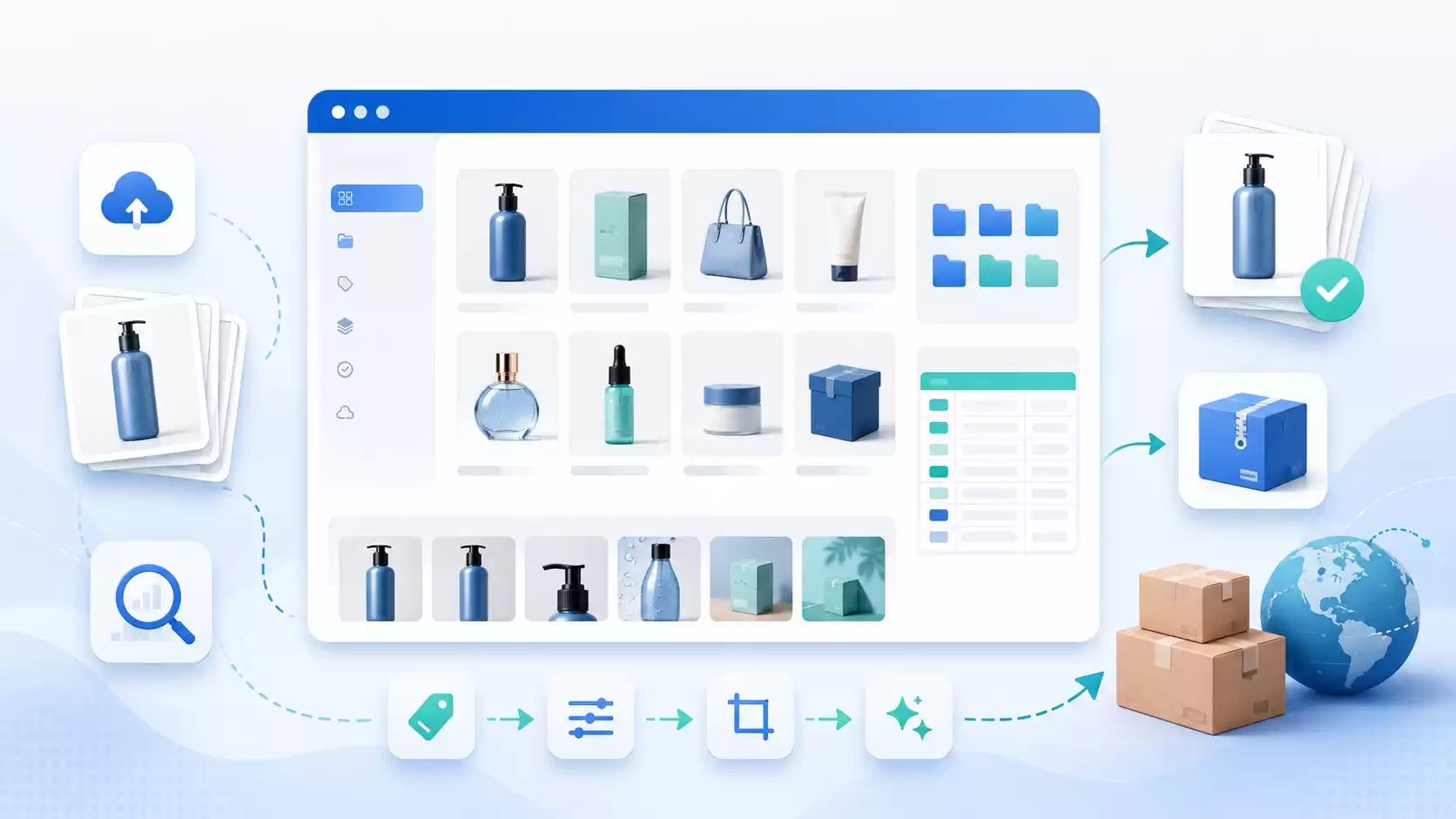
In foreign trade, e-commerce operations, product photography, and independent website maintenance, images are often not a matter of “whether or not they exist,” but rather a matter of “whether they can be quickly located, correctly matched, batch-processed, and delivered in a standardized manner.”
A product may come in multiple colors, sizes, and models; each SKU may include a main image, front view, detail shots, size charts, lifestyle shots, packaging images, and accessory images. The filenames provided by the photographer may be IMG_001.jpg...The catalogs provided by suppliers may only include names such as “black,” “white,” “final version,” and “shots,” while the product spreadsheets used by operations staff use different column headings such as “item number,” “product code,” “platform SKU,” and “color (Chinese).”
When the number of SKUs grows from 10 to 100 and the number of images increases from dozens to thousands, manually creating catalogs, renaming files, converting formats, checking for missing images, and packaging and delivering them becomes a time-consuming, error-prone, and difficult-to-reuse task.
Product Image Organization and SKU Bundling ToolThe goal is to turn this process into a workflow that can be reviewed, verified, and reused:
Product Table + Image Catalog or ZIP
 ↓
Identify table fields, catalog entries, and file names
 ↓
Establish SKU-to-image role mappings
 ↓
Manual verification and quality check
 ↓
Bulk adjustments to format, dimensions, quality, and naming
 ↓
Generate ZIP files and reports organized by SKU
Starting with the simplest first-time setup, this article provides a step-by-step guide to directory mapping, filename mapping, combined SKUs, image roles, output schemes, quality checks, and advanced JSON configurations. All examples are consistent with the actual configuration structure and processing logic of the official 1.0 release.
I. What Problem Does This Tool Solve?
It is neither Photoshop nor online design software. It primarily handles the “preparation phase” for product images before they are uploaded to platforms, websites, customer databases, or photography delivery catalogs.
1. Organize miscellaneous images into the correct SKUs
Possible inputs are:
images/
├── Black/
│   ├── DSC_1001.jpg
│   ├── DSC_1002.jpg
│   └── DSC_1003.jpg
├── White/
│   ├── IMG_2201.jpg
│   └── IMG_2202.jpg
└── Product_Table.xlsx
After analyzing the table fields, directories, and filenames, the data can be organized as follows:
CUP-500-BLK/
├── CUP-500-BLK-MAIN-01.jpg
├── CUP-500-BLK-DETAIL-02.jpg
└── CUP-500-BLK-SIZE-03.jpg

CUP-500-WHT/
├── CUP-500-WHT-MAIN-01.jpg
└── CUP-500-WHT-DETAIL-02.jpg
2. Create a unique SKU based on the product table
The table may only contain:
| Item Number | Color | Dimensions |
|---|---|---|
| P100 | BLACK | L |
| P100 | WHITE | L |
Use on its own P100 It is not possible to distinguish between the two products. The tools can be combined as follows:
P100-BLACK-L
P100-WHITE-L
The Official Release Wizard automatically suggests combined SKUs when it detects duplicate product numbers and overlapping color or size fields.
3. Identify the purpose of the image
Common image roles built into the tool:
| Internal Roles | Common Meanings |
|---|---|
MAIN | Main Image, Featured Image, White-Background Image, Hero |
FRONT | Front View |
BACK | Rear View |
SIDE | Side View |
TOP | Top Image |
BOTTOM | Image at the bottom |
DETAIL | Detail shots, close-ups |
SIZE | Dimension Drawings, Specification Drawings, Parameter Drawings |
LIFESTYLE | Scene photos, model photos, lifestyle photos |
PACKAGE | Packaging Images, Outer Box Images |
ACCESSORY | Parts Diagram, Parts List |
INSTRUCTIONS | Illustrations, Installation Diagrams, Tutorial Images |
CERTIFICATE | Certificate Image, Certification Image |
OTHER | Unidentified Character |
Unidentified images are set by default to OTHER...it won't arbitrarily assume it's the main image.
4. Batch-generate images for various purposes
A single set of images can generate multiple output options. For example:
- Retain the original format; only organize and rename;
- Large images on the website: WebP;
- Website thumbnails in WebP format;
- Standard 2000×2000 JPG;
- HD Customer Package.
5. Identifying Problems Before Output
Tools that can check:
- The image is corrupted or cannot be read;
- Insufficient resolution;
- The file is too large;
- Main image missing;
- There are not enough images for each SKU;
- Exactly the same image;
- Images suspected of being duplicates or similar;
- The image is blurry;
- Are the four corners of the main image close to white?;
- Does the PNG file have a transparency channel?;
- Was the image not matched to an SKU?
II. Who Is This For?
Foreign Trade Factory
Ideal for organizing product images exchanged between suppliers, photographers, and sales representatives, and for packaging and delivering them to overseas customers by product number or SKU.
Sellers on platforms such as Amazon and eBay
This is a good time to standardize product image names, categories, sizes, and catalogs before the official upload, and to check for issues such as missing main images or duplicate images.
Operating Shopify, WooCommerce, and Standalone Websites
Ideal for generating high-resolution WebP images and thumbnails, reducing the file size of web images, and maintaining a clear SKU file structure.
Product Photography Studio
Ideal for quickly organizing raw footage into the directories, filenames, and specifications required by the client.
Cross-Border E-commerce Management Team
Ideal for storing different rules and output templates for multiple clients, multiple stores, and multiple product lines.
III. Quick Start for Beginners: Organizing Your First Set of Photos
Step 1: Prepare the Product Spreadsheet
The simplest table requires only one column:
| SKU |
|---|
| CUP-500-BLK |
| CUP-500-WHT |
The program's default field mapping is:
{
  "source": "SKU",
  "target": "SKU",
  "transforms": ["trim", "upper"],
  "required": true,
  "enabled": true
}
The meaning is:
- Read the file named
SKUthe table columns; - Remove leading and trailing spaces;
- Convert to uppercase;
- Treat it as an internal SKU;
- This field cannot be left blank.
Tables can also use common column names such as “Item No.,” “Product Code,” “Product ID,” “Item No.,” or “Seller SKU.” The New User Wizard will attempt to recognize them automatically.
Step 2: Prepare the images
Supports the following common methods:
Method A: One folder per SKU
images/
├── CUP-500-BLK/
│   ├── MAIN.jpg
│   ├── DETAIL.jpg
│   ├── SIZE.jpg
│   └── LIFESTYLE.jpg
└── CUP-500-WHT/
    ├── MAIN.jpg
    ├── DETAIL.jpg
    ├── SIZE.jpg
    └── LIFESTYLE.jpg
This is the most reliable and easiest way to identify it.
Method B: Include the SKU in the filename
CUP-500-BLK-MAIN-01.jpg
CUP-500-BLK-DETAIL-02.jpg
CUP-500-WHT-MAIN-01.jpg
CUP-500-WHT-DETAIL-02.jpg
Method C: Package the entire directory into a ZIP file
product-images.zipThe tool will safely extract the files while preserving the relative directory structure.
Step 3: Select the Beginner's Guide
We recommend selecting the following for your first use:
Beginner's Guide (Recommended)The official version includes four main presets:
- Beginner's Guide (Recommended): Automatically identify tables, catalogs, SKUs, and image roles, and proceed to analysis and verification;
- Sort by SKU (General): Matches directory or file names and outputs standard JPG files and a report;
- WebP for Independent Websites: Generate large images and thumbnails for the website;
- Quality inspection only; no conversion: Do not generate an image version; output only the analysis, mapping, and quality inspection reports.
Step 4: Upload Forms and Images
After uploading, the system will first create a task and then analyze it:
- How many tables were found?;
- How many product records were retrieved;
- How many images were found?;
- How many SKUs were identified;
- How many cards were successfully matched?;
- How many unmatched or conflicting items are there?;
- Which image characters were identified?
Step 5: Confirm the Analysis Results
You must review the analysis confirmation page before processing.
Key Areas to Inspect:
- Is the SKU correct?;
MAINIs there only one?;DETAIL,SIZE,LIFESTYLEWhether the allocation is correct;- Has it occurred?
shots,images,photosGeneral categories such as these are mistakenly identified as SKUs; - Are there any unmatched images?;
- Are there any roles that need to be modified manually?
Step 6: View the simulation output
The system will simulate the ZIP structure that might be generated based on the current output scheme.
For example:
JPG/
├── CUP-500-BLK/
│   ├── CUP-500-BLK-MAIN-01.jpg
│   ├── CUP-500-BLK-DETAIL-02.jpg
│   └── CUP-500-BLK-SIZE-03.jpg
└── CUP-500-WHT/
    └── ...

_reports/
├── manifest.csv
├── mapping.csv
├── quality-report.csv
├── analysis.json
└── task-config.json
At this point, it is possible to detect this early:
- Duplicate file names;
- The template variable is empty;
- Main image missing;
- The output path is too long;
- Too many output options;
- The expected output quantity is abnormal.
Step 7: Confirm and Process
Once the process is complete, you will receive a ZIP file and a pickup code.
Please save your pickup code. Even if you refresh the page or switch devices, you can still look up and download valid results on the pickup page.
IV. Understanding SKU Mapping
"Mapping" means telling the system which product a particular image belongs to.
The official version uses two mapping rules by default:
- First-level categories exactly match known SKUs;
- The file name contains a known SKU, and the longest SKU is matched first.
1. First-Level Directory Matching
Image:
images/CUP-500-BLK/MAIN.jpgThe table contains:
CUP-500-BLKThe system reads the top-level parent directory CUP-500-BLK, which exactly matches the SKU in the table.
Default rule structure:
{
  "name": "Match known SKUs at the top-level directory",
  "source": "parent1",
  "mode": "exact",
  "target_field": "SKU",
  "transforms": ["trim", "upper", "underscore_to_dash"],
  "enabled": true,
  "stop": true
}
Specifically:
source: parent1: Read the top-level parent directory of the image;mode: exact: Must be exactly equal;target_field: SKU: Matches the SKU field in the product record;underscore_to_dash: Replace all underlines with hyphens;stop: true: Once a match is found, the subsequent rules are not executed.
2. The file name contains the SKU
Image:
factory_CUP-500-BLK_MAIN_01.jpgThe system can be found in the filename:
CUP-500-BLKDefault rule structure:
{
  "name": "File name contains a known SKU",
  "source": "stem",
  "mode": "longest_contains",
  "target_field": "SKU",
  "transforms": ["trim", "upper", "underscore_to_dash"],
  "enabled": true,
  "stop": true
}
stem Indicates a filename without an extension.
longest_contains It's very important. For example, the product table contains both:
CUP-500
CUP-500-BLK
The file name is:
CUP-500-BLK-MAINThe system gives priority to longer, more specific CUP-500-BLK.
3. General Directory Filtering
The official version includes the following built-in general index terms:
images
image
imgs
photos
photo
shots
shot
pictures
pic
media
images
product images
product-images
These catalogs are typically just containers for assets and should not be used directly as SKUs.
Therefore:
Supplier-A/BLACK/shots/factory_P100-BLACK-L_MAIN_01.jpgThe system will not simply because shots If it is the parent directory, then the SKU is interpreted as SHOTS.
V. Combination SKUs: Product Number, Color, and Size
Assuming the "Products" table is as follows:
| Item Number | Color (Chinese) | Dimensions |
|---|---|---|
| P100 | ferrous | L |
| P100 | fig. reactionary | L |
Because the item numbers are duplicates, the wizard will combine them:
{BASE}-{COLOR}-{SIZE_CODE}Result:
P100-BLACK-L
P100-WHITE-L
Corresponding Configuration Approach:
{
  "field_mappings": [
    {
      "source": "Item Number",
 "target": "BASE",
 "transforms": ["trim", "upper"],
 "required": true,
 "enabled": true
    },
    {
 "source": "Color (Chinese)",
 "target": "COLOR",
 "aliases": {
 "黑色": "BLACK",
 "白色": "WHITE"
      },
 "transforms": ["trim", "upper"],
 "enabled": true
    },
    {
      "source": "Sizes",
 "target": "SIZE_CODE",
 "transforms": ["trim", "upper"],
 "enabled": true
    },
    {
      "target": "SKU",
 "template": "{BASE}-{COLOR}-{SIZE_CODE}",
      "transforms": ["trim", "upper"],
 "required": true,
 "enabled": true
    }
  ]
}
The official version includes a set of common Chinese color aliases, such as:
Black / black → BLACK
White / white → WHITE
Red / red → RED
Blue / blue → BLUE
Green / green → GREEN
Pink / pink → PINK
Gray / gray → GRAY
Yellow / yellow → YELLOW
Purple / purple → PURPLE
Brown / brown → BROWN
If a company has its own color code, such as BK,WH,BLYou can modify the alias table in Advanced Settings.
VI. Image Character Recognition
The official version identifies characters based on keywords in filenames or paths.
For example:
P100-BLACK-L-MAIN-01.jpg
P100-BLACK-L-DETAIL-02.jpg
P100-BLACK-L-SIZE-03.jpg
Identified as:
MAIN
DETAIL
SIZE
Built-in character rules use regular expressions for matching. For example, the main image rule recognizes:
MAIN
HERO
Main Image
Featured Image
White Background Image
Example Rules:
{
  "name": "Main Image",
  "source": "stem",
  "mode": "regex",
  "pattern": "(^|[-_\\s]) (MAIN|HERO|Main Image|Featured Image|White Background Image)([-_\\s]|$)",
  "role": "MAIN",
  "enabled": true,
  "ignore_case": true
}
Note that backslashes in JSON must be written as double backslashes:
\s is written as \\s in a JSON stringWhy are unidentified characters classified as "OTHER"?
This is to prevent errors in automation.
If the system cannot determine whether an image is MAIN, DETAIL, or SIZE, the safest course of action is:
OTHERInstead of automatically selecting the main image based on the file order.
Users can manually set OTHER Change it to the correct character.
VII. Detailed Explanation of the Output Plan
An output specification describes “how images should be generated, where they should be placed, and what they should be named.”
Default standard JPG output in the official version:
{
  "name": "Standard JPG",
  "enabled": true,
  "format": "JPEG",
  "width": 2000,
  "height": 2000,
  "resize_mode": "fit",
  "background": "#ffffff",
  "quality": 88,
  "max_kb": 0,
  "folder_template": "{SKU}",
  "filename_template": "{SKU}-{ROLE}-{INDEX:02}.{EXT}"
}
1. format: Output format
Common values:
JPEG
PNG
WEBP
ORIGINALJPEG: Suitable for platform product images and general delivery;PNG: Suitable for images with transparent backgrounds or text;WEBP: Suitable for standalone websites and web pages;ORIGINAL: Retain the original format; only organize, name, and package the files.
2. width / height: Target canvas
For example:
"width": 2000,
"height": 2000
Indicates that the target canvas is 2000×2000.
3. resize_mode: Resizing mode
Commonly Used in the Official Version:
fitfit The image will be placed on the target canvas while maintaining its original aspect ratio; it will not be forced to stretch. The remaining area will be filled with the background color.
4. background: background color
For example, pure white:
"background": "#ffffff"5. Quality: Output quality
JPEG and WebP use quality values to control encoding.
For example:
"quality": 88The higher the quality, the larger the file usually is.
6. max_kb: Target volume
For example, presets for large website images:
"max_kb": 500The program will attempt to reduce the encoding quality to bring the file as close as possible to the target size. However, whether complex scenes can achieve the exact size still depends on the image content.
Set to:
"max_kb": 0Indicates that no target volume is set.
7. folder_template: Directory template
For example:
"folder_template": "Website/{SKU}"Output:
Website/CUP-500-BLK/8. filename_template: File name template
For example:
"filename_template": "{SKU}-{ROLE}-{INDEX:02}.{EXT}"Output:
CUP-500-BLK-MAIN-01.jpg
CUP-500-BLK-DETAIL-02.jpg
{INDEX:02} Represent a two-digit number:
01
02
03
VIII. Built-in Output Presets in the Official Version
1. Standard JPG
Dimensions: 2000×2000
Format: JPEG
Mode: fit
Background: white
Quality: 88
Directory: {SKU}
File: {SKU}-{ROLE}-{INDEX:02}.{EXT}
2. WebP High-Resolution Images for Independent Websites
Dimensions: 1600×1600
Format: WEBP
Quality: 82
Target size: 500 KB
Directory: Website/{SKU}
3. Thumbnails for Independent Websites
Dimensions: 500×500
Format: WEBP
Quality: 78
Target Size: 160 KB
Directory: Website/{SKU}/thumb
File Name Suffix: -thumb
4. Restore the original formatting
When the wizard is set to “Sort by SKU,” the following can be generated:
Format: ORIGINAL
Keep original format
Create a directory by SKU
Use standardized naming conventions
5. HD Customer Package
Dimensions: 3000×3000
Format: JPEG
Quality: 95
Directory: HD/{SKU}
IX. Quality Inspection Configuration
Default quality rules for the official release:
{
  "min_width": 1000,
  "min_height": 1000,
  "max_file_mb": 20,
  "min_images_per_sku": 1,
  "required_roles": ["MAIN"],
  "exact_duplicates": true,
  "perceptual_duplicates": true,
  "phash_distance": 4,
  "blur_check": true,
  "blur_threshold": 80,
  "white_corners": false,
  "white_corner_ratio": 0.95
}
1. Minimum Size
min_width
min_height
Images that do not meet the requirements will be marked as having insufficient resolution.
2. Minimum number of images per SKU
min_images_per_skuFor example, if you set this to 5, a warning will appear for SKUs with fewer than 5 units.
3. Essential Roles
"required_roles": ["MAIN"]This means that each SKU must have at least one main image.
You can also add:
["MAIN", "SIZE"]4. Complete Duplicate Check
"exact_duplicates": trueUsed to find files with exactly the same content.
5. Detection of Near-Duplicates
"perceptual_duplicates": trueUse perceptual hashing to check for images with a high degree of compositional similarity.
If the subject, background, and composition of a product image are very similar, a low-risk alert may be triggered. This should be used as a clue for manual review and should not directly replace human judgment.
6. Blur Detection
blur_check
blur_threshold
Used to indicate images that may be blurry. Images with white backgrounds, light-colored images, and photos with depth of field may result in false positives; therefore, the results should be reviewed manually in conjunction with the thumbnails.
7. White Square Check
white_corners
white_corner_ratio
Suitable for risk checks on main product images with white backgrounds.
The “Quality Inspection Only, No Conversion” preset will enable the white corner check and will not generate an image output; it will only generate a report.
10. What reports are included in the ZIP file?
The official output includes _reports Table of Contents.
manifest.csv
Record each file that is actually generated:
- SKU;
- Characters;
- Relative path to the source;
- Output方案;
- Output file;
- Width and height;
- Format;
- File size;
- SHA-256.
mapping.csv
Record the mapping results between images, SKUs, and characters:
- Source path;
- SKU;
- Characters;
- Status.
quality-report.csv
Record quality inspection issues:
- SKU;
- Relative path to the source;
- Question;
- Severity;
- Publicly accessible instructions.
Public reports will not include absolute server paths, administrator error stacks, or keys.
analysis.json
Save the analysis summary and mapping data for easy review.
task-config.json
Save the public configuration actually used by this task so that the processing rules can be reproduced in the future.
XI. Analyze Images Only; Do Not Convert Them
Sometimes users just want to check if the source material is complete and don't want to generate a new image.
Select:
Quality inspection only; no conversionThe preset:
"profiles": []Therefore, the ZIP file contains only the report and no processed images.
This is normal behavior; it is not a malfunction.
12. Introduction to Advanced JSON Configuration
Regular users do not need to write JSON directly. We recommend using the wizard and visual configuration first, and then exporting the current configuration as a template.
JSON Basics
{
  "enabled": true,
  "quality": 82,
  "roles": ["MAIN", "DETAIL"]
}
Rules:
- Object Usage
{}; - Using Lists
[]; - Strings must be enclosed in double quotes;
- Boolean Value Writing
truemaybefalse; - Do not enclose numbers in quotation marks;
- There must be no extra commas after the last item.
Field Mapping
{
  "source": "Item Number",
  "target": "SKU",
  "transforms": ["trim", "upper"],
  "required": true,
  "enabled": true
}
Candidate Source Column
When different suppliers use different column names:
{
  "candidate_sources": ["SKU", "Item Number", "Product Code"],
  "target": "SKU",
  "transforms": ["trim", "upper"]
}
The system uses the first valid field in sequence.
Template Combinations
{
  "target": "SKU",
  "template": "{BASE}-{COLOR}-{SIZE_CODE}",
  "transforms": ["trim", "upper"],
  "required": true,
  "enabled": true
}
Extracting SKUs Using Regular Expressions
File Name:
factory_P100-BLACK-L_MAIN_01.jpgRules:
{
  "name": "Extract SKU from factory filename",
  "source": "stem",
  "mode": "regex",
  "pattern": "^factory_(?P.+?)_(?:MAIN|DETAIL|SIZE|LIFESTYLE)(?:_\\d+)?$",
  "group": "sku",
  "target_field": "SKU",
  "transforms": ["trim", "upper", "underscore_to_dash"],
  "enabled": true,
  "stop": true
}
Explanation:
^factory_: File names must end withfactory_Introduction;(?P.+?): Capture SKU;MAIN|DETAIL|SIZE|LIFESTYLE: Allowed role terms;\\d+: One or more digits;group: sku: Using Named Capture GroupsSKU;- In JSON, backslashes must be escaped as
\\.
Regular Expression Security Recommendations
Regular expressions should, as much as possible:
- Has a clear beginning
^And the ending$; - Use clear delimiters;
- Avoid infinite nesting and overly complex backtracking;
- Start by testing with a small sample;
- Review the sample output before processing the entire batch of images.
XIII. Recommended Path from Beginner to Expert
Phase 1: Using the Standards Catalog
First, use:
SKU/
├── MAIN.jpg
├── DETAIL.jpg
└── SIZE.jpg
Select "New User Wizard" or "Sort by SKU."
Phase 2: Learning Table Field Mapping
Master:
sourcetargettransformsaliasestemplate
Phase 3: Establishing a Unified Corporate Naming Convention
Recommended format:
{SKU}-{ROLE}-{INDEX:02}.{EXT}We also ask that photographers or vendors include the SKU and character in the file names whenever possible.
Phase 4: Developing Output Strategies for Different Purposes
For example:
Website WebP
Platform Standard JPG
Client HD Package
Original Format Archive Package
Step 5: Save and Reuse Advanced Configurations
Will be verified:
- Field mapping;
- SKU Rules;
- Character Rules;
- Output方案;
- Quality Inspection Rules;
Save as an internal company template.
XIV. A Complete Case Study
An international trade company has a handbag with the same product code but different colors.
Table:
| Item Number | Color (Chinese) | Dimensions | Platform Item Number |
|---|---|---|---|
| P100 | ferrous | L | AMZ-P100-BLK-L |
| P100 | fig. reactionary | L | AMZ-P100-WHT-L |
Image:
Supplier-A/
├── BLACK/
│   └── shots/
│ ├── factory_P100-BLACK-L_MAIN_01.jpg
│ └── factory_P100-BLACK-L_DETAIL_02.jpg
└── WHITE/
    └── shots/
 ├── factory_P100-WHITE-L_MAIN_01.jpg
 └── factory_P100-WHITE-L_DETAIL_02.jpg
Orientation Session:
- Duplicate "item numbers" were found;
- Identify “color in Chinese” and “size”;
- Convert black and white to
BLACK,WHITE; - Bundle SKU;
- Ignore the General directory
shots; - Match SKUs based on filenames;
- Identify MAIN and DETAIL;
- Proceed to analysis and confirmation;
- Analog Output Directory;
- Generate a ZIP file based on the selected option.
Output:
P100-BLACK-L/
├── P100-BLACK-L-MAIN-01.jpg
└── P100-BLACK-L-DETAIL-02.jpg

P100-WHITE-L/
├── P100-WHITE-L-MAIN-01.jpg
└── P100-WHITE-L-DETAIL-02.jpg
If you enable WebP for your website at the same time:
Website/
├── P100-BLACK-L/
│   ├── P100-BLACK-L-MAIN-01.webp
│   └── P100-BLACK-L-DETAIL-02.webp
└── P100-WHITE-L/
    └── ...
XV. Frequently Asked Questions
Why are all the images being identified as "shots"?
shots This is a common, generic directory and should not be used as an SKU. We recommend using the wizard to have the system match known SKUs based on the filename or a higher-level directory.
Why does the same SKU have two MAIN entries?
Both filenames may contain MAIN,Main Image maybe HERO. On the analysis confirmation page, change the extra images to DETAIL,SIZE,LIFESTYLE maybe OTHER.
Why does the ZIP file contain only the report and no images?
No output profile has been enabled for the current task, or the "Quality Check Only, No Conversion" preset is being used. Please enable at least one of the following: "Standard JPG," "Preserve Original Format," or "WebP for Websites."
Why was the image flagged as a near duplicate?
Perceptual hashing considers compositions to be very similar. In product images, the subject often matches the background, so near-duplicates are merely a warning. Detecting exact duplicates is generally more definitive.
Why didn't the image match?
Common Causes:
- The SKU in the table does not match the catalog or file name;
- Horizontal bars and underscores are used differently;
- The file name does not include the full SKU;
- Place the images in the general directory;
- The product table is missing the corresponding record.
What if you don't know how to write JSON?
Start by using the Beginner's Guide. Once you've confirmed that the task was successful, export the configuration and learn each item one by one. JSON is an advanced method for reusability; it is not a prerequisite for using the tool.
XVI. Recommendations for Use
- Make sure the SKUs in the product table are as unique as possible;
- The directory or file name must contain the full SKU at least once;
- Include in the file name
MAIN,DETAIL,SIZEand other character terms; - Pre-processing checks, analysis, verification, and simulation output;
- First, test the new rules with 2–5 SKUs, then process the entire batch of assets;
- Keep a backup of the original image;
- Save the verified configuration as a team template;
- Quality inspection results are intended to assist manual judgment and should not mechanically replace operational reviews.
Conclusion
The part of organizing product images that’s truly time-consuming isn’t usually a single format conversion, but rather:
- Which SKU does the image belong to?;
- What role do images play?;
- Are there any missing, duplicate, or corrupted images?;
- What sizes and formats should be used for different purposes;
- How to ultimately name, organize into subdirectories, and deliver the files.
Once these rules are clearly defined, image organization can evolve from a scattered, manual process into a workflow that can be previewed, verified, and repeated.
For export-oriented factories, cross-border sellers, independent website operators, photography studios, and third-party management teams, this means fewer repetitive tasks, a lower risk of mismatches, and a more reusable approach to product asset management.
Try our product image organization and SKU bundling tool today. Start with a small number of test products to build an image workflow that works best for your team.
If the Assistant isn't displaying properly, you can Click here to open in a new window .
